


Seeking Alpha: News & Analysis
4.311.88K Reviews
App Specs
- Version
- Varies with Device
- Updated On
- License
- Free
- Downloads
- 1,000,000+
- Developer
- SeekingAlpha
- Categories
- Finance
- Platform
- Android, iOS
Screenshots
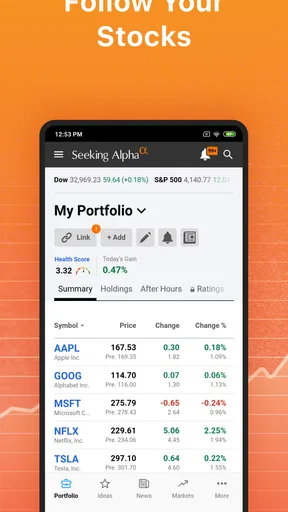
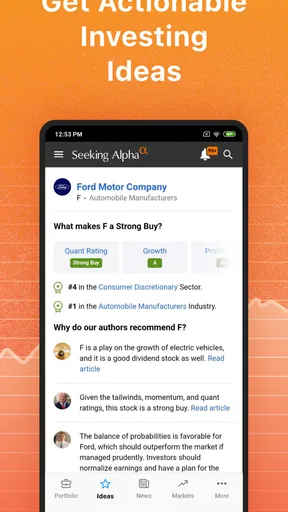
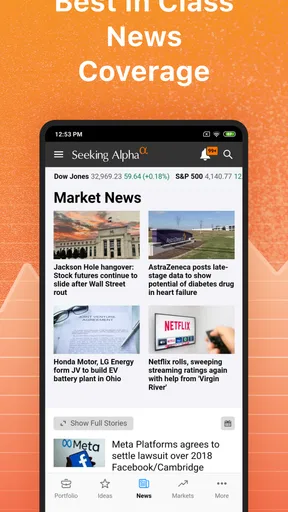
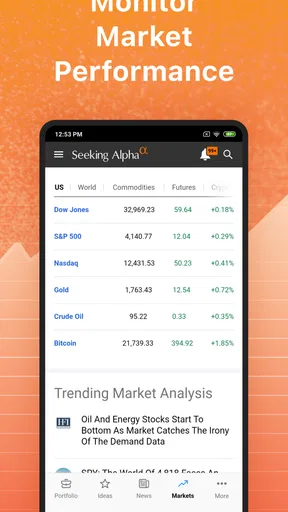
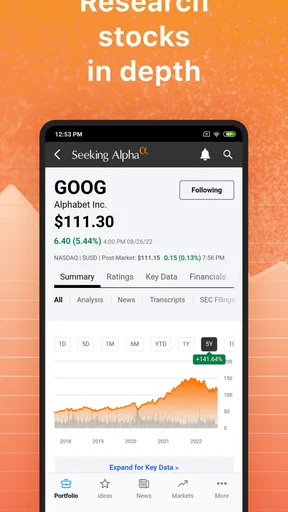
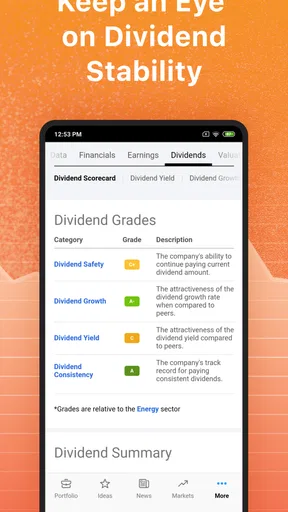
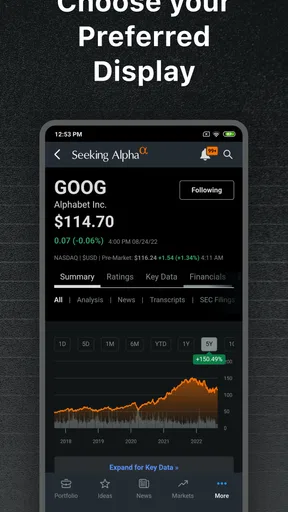
 Analysis by AppCompare
If you’re opening a finance app for the first time, it helps to know what kind of experience you’re choosing. Seeking Alpha: News & Analysis is built around investment coverage: market news, company-focused analysis, portfolio tracking, alerts, and prices. I find it most useful as a place to research and keep watchlists in context, rather than as a simple quote screen or a substitute for deciding what to buy. Its mix of reporting and investor commentary can make a company easier to follow, but it also asks you to sort through opinions carefully.
Getting Started with Seeking Alpha
So, first things first. Downloading and setting up Seeking Alpha is a breeze. Available for both Android and iOS, you can find it on their respective app stores. Once installed, you’re greeted with a clean interface that's easy to navigate. You’ll need to sign up, but don’t worry, it’s quick and painless.
What struck me initially was the sheer volume of information available. It can be a bit overwhelming at first, but trust me, you’ll get the hang of it. The home screen displays a stream of articles, analysis, and news tidbits that are updated regularly. It’s like having a financial newspaper right in your pocket!
Features That Stand Out
One of my favorite features has to be the personalized news feed. The app lets you follow specific stocks, authors, or sectors, so you’re always updated on what matters to you. No more sifting through irrelevant articles. Just the good stuff.
Another handy tool is the real-time alerts. Whether it’s a stock price change or breaking news, you’ll get a notification right away. It’s perfect for those who like to stay one step ahead. Plus, the app offers in-depth analysis and opinion pieces from financial experts. These aren’t just run-of-the-mill articles; they provide insights that can really help in making informed investment decisions.
Making the First Useful Visit
For a first meaningful result, I’d avoid trying to read everything on the home screen. Pick one company you already recognize, search for it, and then use its coverage as a small research exercise: read a recent news item, compare it with an analysis piece, and note what each author is actually arguing. That simple sequence is more useful than scrolling through headlines without a question in mind. It also shows how the app’s reporting and investor opinions serve different purposes.
Once you know which companies matter to you, follow only a few at first. A focused feed makes it easier to notice whether a headline is directly relevant or just part of broader market chatter. You can widen the list later, but starting small keeps the app from turning into another noisy notification stream. I’d also treat a strong article as a prompt for further checking, not as a reason to act immediately.
Worth Reading Before You Choose

EA SPORTS FC Mobile 26 Is a Bigger Football Game, but It Takes Time

Flipboard Shows What News Apps Must Do Beyond the Feed

Switching to Android Auto Means Rethinking Your Driving Routine

Google Calendar Makes a Crowded Week Easier to Manage

Ludo King Makes the Most of the Minutes Between Plans

Baby Panda World Brings Quick Play to Modern Phones, but Its Game Library Feels Busy
User Experience and Navigation
Now, let’s talk about the user experience. Navigating through the app is smooth, although there’s a bit of a learning curve initially, especially if you’re new to financial jargon. But once you’re past that, it’s pretty intuitive. The layout is minimalistic, which I appreciate because it doesn’t distract from the content.
The search function is robust. Whether you’re looking up a specific stock, company, or article, it delivers quick results. You can also save articles to read later, which is a huge plus for someone who’s constantly on the go like me.
A Practical Routine for Busy Investors
A realistic use is checking a holding during a lunch break after a headline catches your eye. I’d search the company, scan the relevant coverage, and save a longer analysis for later rather than trying to make sense of it between meetings. If the news changes the reason I own the stock, that is a cue to review my notes and other sources, not to react to a notification on its own. This keeps the app helpful without letting a busy day dictate an investment decision.
There’s also a useful distinction between following a ticker and following an author. A ticker-centered feed helps you keep up with a particular business; an author-centered one can show how a contributor’s view develops across companies. I’d use the second approach only after reading enough to understand the writer’s reasoning and perspective. It’s an easy way to add continuity, but not a replacement for comparing different arguments.
Community and Interaction
What sets Seeking Alpha apart is its interactive community. You can comment on articles, engage with other users, and even follow your favorite authors. It’s a bit like social media for finance enthusiasts. The discussions can get pretty heated, but that’s part of the fun, right?
Moreover, the app encourages user-generated content, allowing everyday investors to share their insights. It’s fascinating to see different perspectives and strategies, which adds another layer to your investment approach.
Reading Opinions Without Getting Swept Along
The community is best treated as a source of questions, not a voting system for investment decisions. When a comment makes a confident claim, I’d look for the evidence behind it and check whether it addresses the company’s risks as well as its potential. A lively discussion can reveal what other investors are watching, but popularity and conviction don’t establish that a thesis is sound.
This is one place where the app differs from a conventional brokerage app or a basic market-news feed. A broker is generally the more direct choice when your priority is managing an account or placing trades; a simple news app may be quicker when you want headlines alone. Seeking Alpha’s advantage is the combination of company coverage, analysis, and investor discussion. The trade-off is that you get more material to judge, including conflicting interpretations that can take time to untangle.
Subscription and Premium Features
While the app is free to download, there are premium features that come with a subscription. These include additional analysis, exclusive content, and an ad-free experience. I opted for the free version initially, but after a week, I found the premium features worth the investment, especially for serious investors.
The cost might not be for everyone, but if you’re committed to making educated financial decisions, it’s something to consider. You do get a lot of bang for your buck, in my opinion.
What to Know Before Paying
The app itself is free, while in-app purchases range from $0.99 to $2,400.00 per item, so I would check the purchase details carefully before committing to anything. That broad range makes it especially sensible to begin with the free experience and work out whether the extra analysis fits how you actually invest. A casual reader who checks a handful of headlines may not get enough value from paid access, while someone who regularly researches individual companies may find additional material more relevant.
I wouldn’t pay simply because a topic feels urgent or because an article has made a trade sound time-sensitive. First establish a routine with the free content: follow a small watchlist, read a mix of coverage, and save useful pieces. Then decide whether a paid tier solves a real problem for you, such as wanting more research depth. The free download and paid content are separate choices, and treating them that way makes the decision less pressured.
Who It Suits—and Who May Prefer Something Else
I’d recommend it to people who enjoy researching companies, want a steady stream of investment coverage, or like seeing several arguments about a stock in one place. It can also suit a beginner who is willing to look up unfamiliar terms and take time to distinguish reporting from opinion. The app is rated for Everyone, but that content rating is not a measure of how easy the financial material will be for a new investor to understand.
If you mainly need a quick price check, a clean watchlist, or a place to execute trades, a brokerage app or a simpler quote tool may be a better fit. Likewise, anyone who finds market commentary stressful may prefer fewer alerts and a more restrained news source. Seeking Alpha rewards curiosity and careful reading; it is less suitable if you want a single, definitive answer about what to buy.
Final Thoughts
In conclusion, if you’re passionate about finance or looking to get into investing, Seeking Alpha: News & Analysis is a must-have. It’s comprehensive, informative, and, most importantly, keeps you connected to the ever-changing world of finance. Whether you’re checking stock prices on your morning commute or reading in-depth analysis during lunch, this app has got you covered.
So, go ahead and give it a try. Who knows, it might just become your go-to financial companion like it did for me!
My Bottom Line
Seeking Alpha is a finance app from SeekingAlpha, released on August 21, 2012. It has a 4.3 average from around 49,000 ratings and more than 1 million installs. Those figures suggest an established audience, but the better test is whether its research-centered approach matches your habits. I’d start by following a few companies and using saved articles to build a calm reading routine instead of enabling every alert at once.
For me, the strongest reason to keep it is the way company news, analysis, and investor perspectives sit together. The main caution is the same: breadth can become overload, and opinions can sound more certain than the underlying evidence deserves. Use it to sharpen questions, verify important claims, and keep your own investing plan in view. If that sounds like the kind of financial companion you want, the free app is a reasonable place to begin.
Pros
- Comprehensive financial news updates.
- In-depth stock analysis and insights.
- Customizable portfolio tracking.
- Expert commentary and opinions.
- User-friendly interface design.
Cons
- Requires a subscription for full access.
- Limited offline content availability.
- Occasional notification overload.
- Some features are web-only.
- Ads can be distracting for free users.
FAQs for Seeking Alpha: News & Analysis
What is Seeking Alpha and what can users expect from it?
Seeking Alpha is a comprehensive platform for financial news and analysis, offering insights into stock market trends, investment strategies, and financial data. Users can expect detailed articles, expert opinions, and community discussions that cater to both casual investors and financial professionals seeking informed perspectives on various markets.
Is Seeking Alpha free to use, or does it require a subscription?
Seeking Alpha offers both free and premium subscription plans. The free version provides access to a limited range of articles and tools, while the premium subscription unlocks exclusive content, in-depth analysis, and advanced features, such as stock ratings and quant ratings, enhancing the overall user experience.
What features make Seeking Alpha stand out compared to other financial news apps?
Seeking Alpha stands out with its unique blend of professional analysis and user-generated content. It provides real-time news, personalized alerts, and a community-driven approach where users can interact with analysts and other investors, ensuring a dynamic and insightful investment experience that is hard to find elsewhere.
How reliable is the information provided on Seeking Alpha?
Seeking Alpha is known for its credible and diverse range of content. It combines articles from financial experts, experienced investors, and contributors under strict editorial guidelines. While it offers valuable insights, users should always cross-reference information with other sources and consider multiple perspectives before making investment decisions.
Can users interact with others on Seeking Alpha?
Yes, Seeking Alpha fosters a community-oriented environment where users can comment on articles, participate in discussions, and follow their favorite contributors. This interactive feature allows for the exchange of ideas and strategies, promoting a collaborative atmosphere for learning and investment decision-making.


